මලින්තගේ සටහන | Malinthe’s Note

Tips, Tricks, Tech News and Random Thoughts by Malinthe

Archive for August, 2007

ගූගල් මගින් විවිධ මුදල් ඒකක පරිවර්තනය කරගැනීමේ හැකියාව පවතී. භාවිතය ඉතාමත් සරලයි. ඔබ යම් කිසි රටක මුදල් ඒකකය නොදැන සිටියත් ඒ රටේ මුදල් ඒකකයට ඕනෑම මුදල් ඒකකයක් පරිවර්තනය කරගැනීමට මෙමගින් හැකියාව ලැබේ.
භාවිතය: ගූගල් හි සෙවුම් කවුළුවේ පරිවර්තනයට අවශ්‍ය මුදල හා ඒකකය සහ ‘in’ සමග පරිවර්තනය විය යුතු මුදල් ඒකකය ඇතුල් කර සෙවීම ක්ලික් කරන්න. උදාහරණ: 1 USD in Sri Lankan Rupees - යම් රටක ඔබ නොදන්නා මුදල් ඒකකයක් නම් මෙසේ ලියන්න: 1 USD in Indian Currency :D

Google can do currency conversions now. Usage is very simple. Even if you don’t know a currency in a specific country, you can still convert to the currency of that country too.
Usage: In the Google search box, type the amount and currency first. Then after typing ‘in’ type the currency to be converted. Example: 1 USD in Sri Lanka Rupees - If you don’t know a certain currency of a country, enter like this: 1 USD in Indian Currency - Very Simple :D

  • 1 Comment
  • Filed under: Uncategorized
  • ඇඩ්සෙන්ස් | AdSense

    ඇඩ්සෙන්ස් ක්‍රියාත්මක කළත් වැඩක් නැහැ. එයින් මොනවාහරි ලැබෙයි කියලා සිතුණත්, කවුරුවත් ඒවා ක්ලික් නොකරන නිසා මොනවත් ලැබෙන්නේ කොහොමද? ඉතින් ‍කිසිම දෙයක් නොලැබෙන පලකට නැති දෙයක් තියාගෙන වැඩක් තියෙනවද? ඉතින්… ආයුබෝවන් ඇඩ්සෙන්ස්! You must’ve noticed that I activated Adsense on my blog. I thought I’ll get something from it but surprise, no one clicks on them. So what’s the point of having ads that just doesn’t bring any revenue? :-) Gotta remove them. So long Adsense!

  • 2 Comments
  • Filed under: Uncategorized
  • සිංහල බ්ලොග් වල අවශ්‍ය දේ පිළිබඳ සොයා බැලීම සඳහා සිංහල බ්ලොග් සෙවුම දැන් ක්‍රියාත්මකයි. SinhalaBlogs හි දැනට පෙන්වන බ්ලොග් සියල්ලම මෙහිත් දැනට ඇතුළත් ‍වනවා. තවත් සිංහල බ්ලොග් තිබේනම් කරුණාකර දන්වන්න.
    සිංහල බ්ලොග් සෙවුම

    A Search Engine for searching Sinhala Blogs is now active. All the blogs featured at SinhalaBlogs can be searched with this search engine. If you have more blogs, please contact me to add them.
    Sinhala Blog Search

  • 0 Comments
  • Filed under: Uncategorized
  • මා දැන් ලියන්නට සූදානම් වන්නේ විශ්වාස කිරීමට අපහසු දෙයක් ගැනයි. මෙයත් මා කලින් කියූ පරිගණක ලේඛකයාගේම වැඩක්. (පෙර ලිපිය) ළඟදී අතට ලැබුණු ඩිජිටල් කැමරා ගැන මේ ලේඛකයා ලියූ පොතක් සම්බන්ධයෙනුයි මේ ලියන්නට සූදානම් වන්නේ.

    මෙවර - කොඩැක් වෙබ් අඩවිය
    පොත - ඩිජිටල් කැමරා පිළිබඳ පොතකි
    පොතේ මිල - රු. 300/-

    කොඩැක් වෙබ් අඩවියේ භාවිත කොන්දේසි: පිටපත් අයිතිය: The Site and the Content are protected by U.S. and/or foreign copyright laws, and belong to Kodak or its partners, affiliates, contributors or third parties. The copyrights in the Content are owned by Kodak or other copyright owners who have authorized their use on the Site. You may download and reprint Content for non-commercial, non-public, personal use only (If you are browsing this Site as an employee or member of any business or organization, you may download and reprint Content only for educational or other non-commercial purposes within your business or organization, except as otherwise permitted by Kodak, for example in certain password-restricted areas of the Site and in our Frequently Asked Questions). With the exception of the Sample Images, you may not manipulate or alter in any way images or other Content on the Site.

    පොතේ කොන්දේසි: මෙම පොතෙහි සියළුම හිමිකම් ඇවිරිණ. ප්‍රකාශකයන්ගේ අවසරය නිසි පරිදි ලිපියකින් නොලබා මෙහි එන කිසිවක්ම මොනම ආකාරයකින් හෝ නැවත පලකිරීම තහනම්ය … විශේෂයෙන්ම මෙහි ඇති උපදෙස් හෝ රූප සටහන් අයථා ලෙස පරිහරණය කරන අයට එරෙහිව “බුද්ධිමය දේපල නීති සංග්‍රහ පනත” යටතේ කටයුතු කරනු ඇත….

    උදාහරණ: කොඩැක් පිටුව: http://www.kodak.com/eknec/PageQuerier.jhtml?pq-path=398&pq-locale=en_US&_requestid=4932

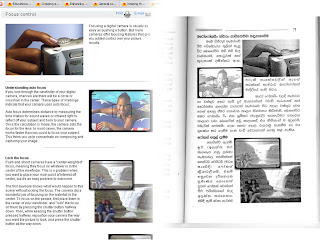
    Understanding picture quality settings
    Pixel is shorthand for “picture element.” It is the smallest part of a digital camera’s sensor. The word “mega” means “million.” So megapixel means the picture is made up of one million pixels, or picture elements.

    The size of a digital camera’s sensor, the part that records the image, is expressed in megapixels. The greater the number of megapixels, the more information this sensor can capture and the more an image can be enlarged.

    පොතේ පිටු අංක 63:
    ඡායාරූපයක උසස් තත්ත්ව සැකසුම් වටහාගැනීම
    පික්සෙල්ස් යනු ‘පික්චර් එලි‍මන්ට්ස්’ යන පද දෙක කෙටිකිරීමෙන් සකස් කරගත් පදයකි. එය ඩිජිටල් කැමරා සෙන්සරයේ ඇති ඉතාමත්ම කුඩා කොටසය. අංශුවය. මෙගා යනු ලක්ෂ දහයකි. එබැවින් මෙගා පික්සෙල් යන්නෙන් අදහස් කරන්නේ ඡායාරූපය පික්සෙල්ස් හෙවත් රූප අංශු ලක්ෂ දහයකින් සැදී ඇති බවය.

    ඩිජිටල් කැමරාවේ සෙන්සරයේ ප්‍රමාණය හෙවත් ඉමේජය සටහන් කරගන්නා කොටස මෙගා පික්සෙල්ස් වලින් නියෝජනය වෙයි. මෙගාපික්සෙල්ස් ප්‍රමාණය ඉහළ යන විට එම සෙන්සරයට ග්‍රහණය කර ගත හැකි තොරතුරු ප්‍රමාණය මෙන්ම ඉමේජය විශාල කළ හැකි ප්‍රමාණයද ඉහල යයි.

    මෙතැන සිට මුළු පිටුවම මෙසේ පරිවර්තනය කර ඇත.

    තවත් පිටුවක්: http://www.kodak.com/eknec/PageQuerier.jhtml?pq-path=342/440&pq-locale=en_US

    මෙම පිටුවත් සම්පූර්ණයෙන්ම යොදාගෙන තිබෙනවා. කුඩා කොටසක් දක්වන්නම්.

    Keep it clean
    Clean the outside of your camera by wiping it with a clean, dry cloth or soft camel’s hair brush. Never use harsh or abrasive cleaners or organic solvents on your camera or any of its parts. Avoid contact with oily substances such as suntan lotion. If your camera has a LCD (liquid crystal display), breath on it gently to create some moisture, then wipe it with a soft, lint-free cloth or untreated photographic lens tissue.

    පොතේ 71 පිටුව:

    පිරිසිදුව තබාගන්න
    පිරිසිදු වියලි රෙදි කැබැල්ලකින් හෝ මෘදු කැමල්ස් හෙයා බුරුසුවකින් පිස දැමීම මගින් ඔබේ කැමරාවේ පිටපැත්ත පිරිසිදුව තබාගන්න. දැඩි සීරීම් ද්‍රව්‍ය හෝ රසායනික පිරිසිදු කිරීමේ ද්‍රව්‍ය මේ සඳහා කිසි විටෙක භාවිතයට නොගන්න. තෙල් සහිත ස්වභාවයක් ගන්නා ෂැම්පු වර්ග හෝ එවැනි මොනම ද්‍රව්‍යයක්වත් කැමරාවේ තැවරීමට ඉඩ නොදෙන්න. ඔබේ කැමරාවේ LCD තිරයට වැදෙන ලෙස හුස්ම ගැනීම මගින් එහි තෙතමනය ඇතිවෙයි. එවැනි දෙයක් සිදුවුවහොත් එය මෘදු, කෙඳි රහිත රෙදි කැබැල්ලකින් හෝ ඡායාරූප ශිල්පීන් සඳහාම විශේෂයෙන් සකස් කර ඇති ලෙන්ස් ක්ලීන් ටිෂු කැබැල්ලකින්, ඇඟිල්ල තද නොකර ඉතා සැහැල්ලුවෙන් පිසදා හරින්න. (එය නිවැරදිව පරිවර්තනය කර නැති බවද ඔබට පෙනෙනවා ඇති)

    මේ ආකාරයට කොඩැක් වෙබ් අඩවියේ Tips & Projects Center හි තිබෙන ලිපි සියල්ලක්ම පාහේ (රූපද සමගින්) මේ පොතේ කිසිදු පැකිලීමකින් ‍තොරව අන්තර්ගත කර තිබෙනවා. කොඩැක් අඩවියේ භාවිත කොන්දේසි වල පැහැදිළිවම සඳහන් කර තිබියදීත් වාණිජ පරමාර්ථයක් උදෙසා එහි ලිපි නැවතත් ‘ගෙඩි පිටින්’ පරිවර්තනයක් කිරීමකුයි මේ සිද්ධ වී තිබෙන්නේ! :D

    ලියන්නට අපහසු තරම් විශාල උදාහරණ සංඛ්‍යාවක් නිසා උදාහරණ වැඩි ගණනක් දක්වා නැහැ. තවත් විස්තර අවශ්‍යනම් දන්වන්න.

  • 0 Comments
  • Filed under: Uncategorized
  • යතුරු පුවරුව මගින් අත්‍යාවශ්‍යම වැඩසටහන් සියල්ල දියත් කරගන්නට පුළුවන්. මා දැන් වැඩියෙන්ම භාවිතා කරන ෆයර්ෆොක්ස්, තන්ඩර්බර්ඩ් හා විනැම්ප්, ගූගල් ටෝක් හා වර්ඩ්වෙබ්, අයිඩීඑම් ආදී මෘදුකාංග කිහිපයකටම මෙම ක්‍රමයයි යොදාගෙන තිබෙන්නේ. සාමාන්‍යයෙන් මේ කටයුතු සඳහා මෘදුකාංග බොහොමයක් තිබුණත් අනවශ්‍ය මෘදුකාංග රැසක් ධාවනය කිරීමට මා අකමැතියි. මෙය ඉතාමත් සරලයි. වින්ඩෝස්හි කවදත් තිබුණු පහසුකමක්. මෙන්න ක්‍රමය:

    • දියත් කළ යුතු වැඩස‍ටනේ කෙටි මගක් (shortcut) වෙත යන්න.
    • ඒ මත දකුණු ක්ලික් කිරීම මගින් මෙනුව ලබාගෙන එහි වත්කම් (properties) වෙත යන්න.
    • එහි කෙටි මං යතුර (shortcut key) සඳහා කැමති යතුරක් එක්ක කරන්න. (මෙහිදී මම ෆයර්ෆොක්ස් සඳහා F යොදාගෙන තිබෙනවා.)
    • ඉන්පසු එම කවුළුව වසා දමන්න.

    එපමණයි. දැන් ඕනෑම විටක Ctrl+Alt සමග F යතුරු එබූ විට ෆයර්ෆොක්ස් දියත් වේවි. මෙය ඉතාමත් සරල ක්‍රමයක්. මම දැන් පරිගණකය ක්‍රියාත්මක කළ විගස Ctrl+Alt සමග W, T හා F යතුරු මගින් විනැම්ප්, තන්ඩර්බර්ඩ් හා ‍ෆයර්ෆොක්ස් ක්‍රියාත්මක කරනවා. :D

    You can launch the most important programs from the keyboard. Some programs I frequently use (like Firefox, Thunderbird, Winamp, Google Talk and IDM) are launched in this way. There are additional software (like Launch) used to launch programs from the keyboard but I don’t like running additional processes for various purposes. This is very simple. It was here from the begining. Here’s the way:

    • Go to the shortcut of the program you want to launch.
    • Right-Click on it and go to Properties.
    • Enter a key for the Shortcut-Key. (I used ‘F’ for Firefox)
    • Click OK.

    That’s all. Now when I enter Ctrl+Alt and F Firefox will be launched. This is very simple isn’t it? Now, when I turn on the computer I enter Ctrl+Alt with W, T and F to launch Winamp, Firefox and Thunderbird :D

  • 0 Comments
  • Filed under: Uncategorized
  • යූටියුබ් වීඩියෝ ගොනු ලබාගැනීමේ ක්‍රම විශාල සංඛ්‍යාවක් දැනටමත් පවතිනවා. අප බොහෝ දෙනෙක් මේ ක්‍රම භාවිතා කළත්, මෙහිදී තිබෙන විශාලම ගැටළුව වනුයේ මෙම ගොනු ෆ්ලෑෂ් වීඩියෝ ගොනුවක් (FLV) ආකාරයෙන් ලැබීමයි. (ඇත්තටම ඔබට VLC හෝ ගොම් ප්ලේයර් වැනි මෘදුකාංගයකින් මේවා වාදනය කළ හැකියි.) මෙය පරිගණකයේ ස්ථාපනය කර ඇති මෘදුකාංගයකින් අපට අවශ්‍ය මාදිලියකට (WMV, MPG, 3GP ආදී) පරිවර්තනය කර ගත හැකි වුවත්, මේ සඳහා අමතර මෘදුකාංග යොදාගැනීමට සිදුවීම විශාල කරදරයක්. මේ සඳහා හඳුන්වා දී ඇති නවතම අඩවියක් ලෙස වීකන්වර්ට් හඳුන්වා දිය හැකියි. මෙමගින් ඔබ ලබාදෙන යූටියුබ් ලිපිනයක් කෙලින්ම අවශ්‍ය ගොනු මාදිලියකින්ම ලබාගත හැකියි. මේ අතර wmv, mov, mp4, 3gp, mp3 හා flv වර්ග පවතිනවා. මෙය තවත් එක් අඩවියක් පමණයි. තවත් අඩවි කිහිපයක් පවතිනවා. ඒ ගැනත් ලියන්නම්.

    We all know that we can get Youtube videos to our computers without much trouble. (Acutally, they are extremely low in quality, but what to do?) but the biggest problem is getting those videos as Flash Video Files (FLV) You need to use a converting program to convert these videos to wmv, mpg or any other format. (Of course you can use a program like VLC or GOM Player to play these files.) But I hate the extra hassle these things require. Another solution for this hassle is VConvert. This site converts specified Youtube addresses to wmv, mov, mp4, mp3, 3gp formats and let’s you download the converted file. This is one of those many sites out there. Pay a visit and check how it works. I’ll write about the others later.

  • 1 Comment
  • Filed under: Uncategorized
  • ගූගල් තැපැල් ගිණුමක් (ජීමේල්) භාවිතා කරන ඔබගේ ඉඩකඩ දැනටමත් අවසන් වී ඇත්නම් ඉඩ ටිකක් වැඩි කරගන්නට කාලය ඇවිත් නේද? ගූගල් මගින් වසරකට ඩොලර් විස්සකට ගිගාබයිට් හයක සිට අමතර ඉඩකඩ සැපයීම ආරම්භ කර තිබෙනවා. ඔබගේ ගූගල් ගිණුමේ ඉඩකඩ භාවිතාව පිටුවට ගොස් ඔබේ වත්මන් ඉඩ භාවිතාව පරීක්ෂා කළ හැකියි. වැඩිපුර ඉඩ අවශ්‍ය නම් මෙම පිටුව මගින් මිළදී ගත හැකියි. වැඩිපුර ලබාගන්නා ඉඩ ඔබගේ සේවාවන් අතර (ජීමේල්, පිකාසා) අවශ්‍ය පරිදි බෙදී යයි.

    If you are a faithful user of Google Services (like Gmail, Picasa) and you have run out of space, it’s time to get some more. Google is now offering Additional space from 6GB to 250GB. The 6GB package is out for $20. To check your current space usage visit this page. To grab some more space simply visit here. :-)

  • 1 Comment
  • Filed under: Uncategorized
  • බ්‍රවුසර හා පද්ධති දත්ත | Browser and System Stats:

    213 - 42.60% - Firefox 2.0.0
    158 - 31.60% - MSIE 6.0
    98 - 19.60% - MSIE 7.0
    13 - 2.60% - Firefox 2.0
    7 - 1.40% - Safari 1.2
    2 - 0.40% - Firefox 1.5.0
    2 - 0.40% - Unknown
    2 - 0.40% - Opera 9.22
    1 - 0.20% - Opera 9.10
    1 - 0.20% - Firefox 2.0 (
    1 - 0.20% - Mozilla 5.0
    1 - 0.20% - Opera 9.01
    1 - 0.20% - Opera 8.50

    429 - 85.80% - Windows XP
    29 - 5.80% - Windows Vista
    12 - 2.40% - Windows 2000
    11 - 2.20% - Windows 2003
    11 - 2.20% - Unknown
    5 - 1.00% - Linux
    3 - 0.60% - Mac OS X

    Well it’s happy to see that Firefox usage is increasing!

  • 0 Comments
  • Filed under: Uncategorized
  • ලිනක්ස් මෙහෙයුම් පද්ධති ඉතාමත්ම විශිෂ්ටයි. මමත් දැනට කිහිපයක්ම පාවිච්චි කර තිබෙනවා. නමුත් ඒවා වැඩිකල් මේ පරිගණකයේ තියාගන්න විදියක් නැහැ. දෘඪ තැටියේ ඉඩ මදියි. ගිගාබයිට් 40ක තැටියකින් මේ දවස්වල මොනවා කරන්නද? ඒ නිසා ටික දවසක් පාවිච්චි කරලා අයින් කරන්නම වෙනවා. ඒත් ඉතින් අයින් කරන්න විදියක් නම් පැහැදිළිව නැහැ. මෙන්න මේ විදියටයි මම ලිනක්ස් අයින් කළේ: (පරීක්ෂා කර ඇත්තේ ෆෙඩෝරා කෝර් 3, කෝර් 6 හා උබුන්ටු සමග) දෘඪ තැටිය සකසා තිබෙන්නේ C: හි වින‍්ඩෝස් හා D: හි ලිනක්ස් වශයෙන්. මෙහිදී ලිනක්ස් සමග ස්ථාපනය කළේ ග්‍රබ් බූට් ලෝඩරයයි.

    • වින්ඩෝස් පාලක පැනලයේ පරිපාලක මෙවලම් හි පරිගණක කළමනාකරණ යටතේ එන තැටි කළමනාකරණය වෙත පැමිණීම.
    • එහිදී D: තැටිය තෝරා ෆෝමැට් කිරීම. (මෙවිට ලිනක්ස් මුළුමනින්ම ඉවත් වී යයි.)
    • දැන් පරිගණකය නැවත ආරම්භ කිරීම.
    • සාමාන්‍යයෙන් භාවිතා වුණේ ග්‍රබ් බූට් ලෝඩරය නිසා දැන් වින්ඩෝස් ආරම්භ වීමට හැකියාවක් නැහැ.
    • මෙනිසා වින්ඩෝස් ආරම්භක තැටියෙන් බූට් කර රිකවරි කොන්සෝල් වෙත ගොස් පහත සඳහන් විධාන නිකුත් කිරීම.
    • fixboot c:
    • fixmbr c:
    • පරිගණකය නැවත ආරම්භ කිරීම. දැන් එය වින්ඩෝස් මගින් ආරම්භ වේ.

    මෙය නිවැරදි ක්‍රමයක්දැයි මා දන්නේ නැහැ. නමුත් මට සිතාගත හැකි වූ එකම ක්‍රමය මෙය පමණයි. කොහොම වුණත් එය සාර්ථක වූ බව නම් මා දන්නවා. :D

    Linux is great. It’s one hell of an OS :D - I used quite a few but I can’t keep them on my pc for a long time. I don’t have much space left on this 40 gig drive. What can you do with 40 gigs in a time like this? So I had to remove those. I wasn’t able to find a definitive way of removing so I did this. (Tested this with Fedora Core 3, Core 6 and Ubuntu) Configuration: C: Windows and D: Linux

    • Go to Windows > Control Panel > Administrative Tools > Computer Management > Drive Management
    • Select the Drive that holds Linux and format it
    • Reboot (now it shouldn’t boot with windows since there was GRUB installed.)
    • Insert the Bootable Windows Installation disk
    • Boot from the that disk
    • Go to recovery console
    • Give the following Commands
    • fixboot c:
    • fixmbr c:
    • Reboot and you’ll get Windows

    I really don’t know if this is right or wrong. But it worked for me :D

  • 2 Comments
  • Filed under: Uncategorized
  • මා අන්තර්ජාලයට සම්බන්ධ ‍වන්නේ සන්ටෙල් සීඩීඑම්ඒ දුරකථනයක් මගින්. දුරකථන මාදිලිය Axesstel AXW-P800. මෙය පරිගණකයට සම්බන්ධ වන්නේ USB ‍කේබලයක් මගින්. ‍සාමාන්‍යයෙන් මධ්‍යම රාත්‍රියේ සිට පාන්දර 4-6 කාලය තුළ මෙමගින් තත්පරයට කිලෝබයිට් විස්සක (20KB/s) දත්ත හුවමාරු වේගයක් අත්විඳිය හැකියි. එනම් දළ වශයෙන් 160kbps පමණ වේගයක්.
    I get connected with a Suntel CDMA phone. Phone model is Axesstel AXW-P800, it’s kinda low in features though. Connectivity is USB. I even managed it to work with linux too. At midnight to dawn, I can experience a transfer rate of 20 Kilobytes per second. (20KB/s) That’s roughly about 160kbps.

  • 3 Comments
  • Filed under: Uncategorized
  • අදහස් | Comments

    • රට්කෝ ම්ලාඩිච්: @ naveen, Thanks for your kind words, buddy. @ මලින්ත, වෛරස් එනවා නම් වින්ඩෝස්, open source...
    • naveen: @ රට්කෝ ම්ලාඩිච් I 100% agreed with u. i also think like that :wink:
    • රට්කෝ ම්ලාඩිච්: නාගයෝ, දැන් මේකට අභියාචනාධිකරණ ේ නඩුවක් වැටිලයි...
    • රට්කෝ ම්ලාඩිච්: @ මලින්ත & නවීන්, මම මගේ ගෙදර Internet පාවිච්චි කරන්නේ 1996 සිට....
    • Nagaya: Apoi mama dan dawas gaanak mobitel ekata giya,,,anthimata epa wela….mage dialog sim eka daagaththa…mona karadarakda…apita wena wada nathuwata…..hathanma gaanak...
    • Nagaya: Thnkx Malithe for the info about ///Sampath Mini debit card….I got mine….. And I’m using Vixta Linux….I can see your blog with correct rendering…not like on XP...
    • SRIshanu (ශ්‍රීශානු): දැන් බ්ලොග් ලියන්නෙත් නෑ… අයිපොඩ්ඩ නිසා… :mrgreen:
    • naveen: ela machan ehema thamai inna ona :razz:

    Twitter Updates

      Recently Played Songs

      • The Doors – Riders on the Storm
      • The Beatles – All You Need Is Love
      • The Beatles – Here Comes the Sun/The Inner Light [transition]
      • The Beatles – Glass Onion
      • The Beatles – Get Back

      Stats

      TopOfBlogs